Skip to content

Catalogue read

18

Machines here that run LightBurn

30

Machines checked against the rule

$99

Cheapest license that drives a machine here

30 days

Free trial, unrestricted, all controllers

Two tiers, bought once

LightBurn sells one license in two versions. Which one you need is decided by the controller inside your machine, not by how powerful it is or what it cost.

LightBurn Core

$99

One payment, not a subscription. A year of updates is included.

GCode controllers: Cohesion3D, Smoothieware, Grbl, Marlin and Grbl-LPC. Permanent commercial use, installable on up to three computers, PC or Mac.

Controllers covered

Cohesion3D, Smoothieware, Grbl, Marlin, Grbl-LPC

5 of the 30 machines specified on this site need LightBurn Core.

Machines on this license

  • xTool P2S
  • VEVOR 100W CO2
  • xTool S1 40W
  • Monport Reno65
  • Carverall A1 Pro

LightBurn Software: LightBurn Core License KeyRead 2026-08-16

LightBurn Pro

$199

One payment, not a subscription. A year of updates is included.

Everything in Core plus DSP lasers (Ruida, Trocen, TopWisdom) and EZCad2-based galvo lasers, meaning fiber, CO2 or UV, connected by USB. Permanent commercial use, up to three computers.

Controllers covered

Cohesion3D, Smoothieware, Grbl, Marlin, Grbl-LPC, Ruida, Trocen, TopWisdom, EZCad2, EZCad2 Lite, EZCad3, BSL

13 of the 30 machines specified on this site need LightBurn Pro.

Machines on this license

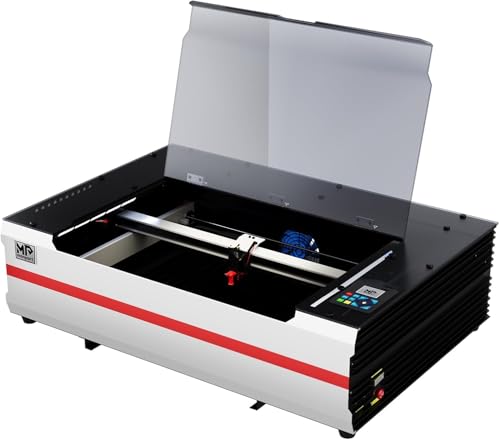
  • OMTech Pro 2440
  • OMTech Pronto 45
  • OMTech Maker 100W
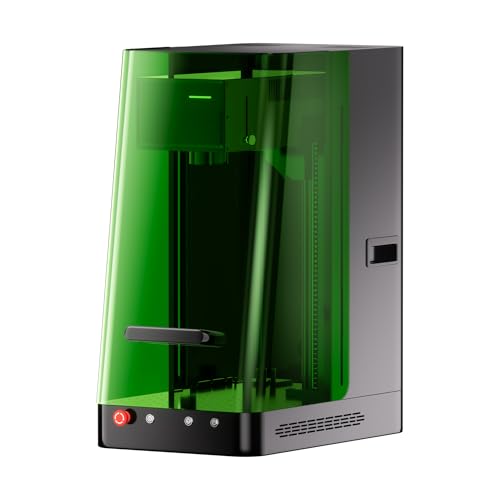
  • ComMarker B6 60W
  • ComMarker X 6W UV
  • Creality Falcon T1 UV

LightBurn Software: LightBurn Pro License KeyRead 2026-08-16

The gap between them is $100, and it is the single figure a listing that says "LightBurn compatible" never tells you. If you buy Core and find you needed Pro, LightBurn sells the difference as an upgrade rather than making you buy twice.

What you are actually buying

Read from LightBurn's own licensing pages on 2026-08-16.

Forever

How long the license lasts

The license does not expire. After the first year the updates stop arriving and the version you have keeps working.

30 days

Free trial, no restrictions

The full program, no watermarks and no limits, with all three controller classes enabled. Confirm your own machine connects before you pay anything.

Three

Computers on one license

Seats on PC or Mac, managed from LightBurn’s own portal. A fourth is sold separately.

$40

A further year of updates

Optional, and the same price on either tier. Renew before your term ends and LightBurn adds two months.

Machines that run LightBurn, priced today

Every one of these names LightBurn in its own maker's documentation. The license is on top of the price shown, and the table below says which tier.

We may earn a commission from these links, at no extra cost to you.

Which license each machine needs

Every machine specified on this site, with the evidence the tier rests on. One maker states the tier itself; every other row is LightBurn's published rule applied to the controller that maker names, or to the machine's own sourced laser source.

LightBurn license tier, license cost and machine price, by machine
MachineLicense neededLicenseMachineTogetherOn what evidence
xTool P2SxTool P2SxToolLightBurn Core at least$99$3,399$3,498xTool names LightBurn but never names the controller, and the controller is what sets the tier. Core is the floor; if the machine turns out to run a Ruida, Trocen or TopWisdom board it needs Pro instead.
VEVOR 100W CO2VEVOR 100W CO2VEVORLightBurn Core at least$99$3,029.90$3,128.90VEVOR names LightBurn but never names the controller, and the controller is what sets the tier. Core is the floor; if the machine turns out to run a Ruida, Trocen or TopWisdom board it needs Pro instead.
xTool S1 40WxTool S1 40WxToolLightBurn Core$99$1,899$1,998Diode engravers run GCode firmware, which is exactly what Core covers: Grbl, Marlin, Smoothieware and Grbl-LPC.
Monport Reno65Monport Reno65MonportLightBurn Core$99$1,599.99$1,698.99Monport names the tier itself, listing the software as "LightBurn (Core)".
Carverall A1 ProCarverall A1 ProCarverallLightBurn Core$99$349.99$448.99Diode engravers run GCode firmware, which is exactly what Core covers: Grbl, Marlin, Smoothieware and Grbl-LPC.
OMTech Pro 2440OMTech Pro 2440OMTechLightBurn Pro$199$7,099.99$7,298.99OMTech ships RDWorks with this machine, which is a DSP controller. LightBurn puts Ruida, Trocen and TopWisdom in Pro.
OMTech Pronto 45OMTech Pronto 45OMTechLightBurn Pro$199$5,699.99$5,898.99OMTech ships RDWorks with this machine, which is a DSP controller. LightBurn puts Ruida, Trocen and TopWisdom in Pro.
OMTech Maker 100WOMTech Maker 100WOMTechLightBurn Pro$199$4,199.99$4,398.99OMTech ships RDWorks with this machine, which is a DSP controller. LightBurn puts Ruida, Trocen and TopWisdom in Pro.
ComMarker B6 60WComMarker B6 60WComMarkerLightBurn Pro$199$3,999$4,198ComMarker ships EZCAD with this machine, which is a galvo controller. LightBurn puts EZCad2, EZCad3 and BSL galvo systems in Pro.
ComMarker X 6W UVComMarker X 6W UVComMarkerLightBurn Pro$199$3,599$3,798This is a galvo marker, a fixed scanning head rather than a moving gantry, and LightBurn states that fiber, CO2 and UV galvo systems need Pro.
Creality Falcon T1 UVCreality Falcon T1 UVCrealityLightBurn Pro$199$3,599$3,798This is a galvo marker, a fixed scanning head rather than a moving gantry, and LightBurn states that fiber, CO2 and UV galvo systems need Pro.
Monport GM60 Mopa ProMonport GM60 Mopa ProMonportLightBurn Pro$199$3,299.99$3,498.99Monport ships BslAppSimple with this machine, which is a galvo controller. LightBurn puts EZCad2, EZCad3 and BSL galvo systems in Pro.
ComMarker XE 6W UVComMarker XE 6W UVComMarkerLightBurn Pro$199$3,299$3,498This is a galvo marker, a fixed scanning head rather than a moving gantry, and LightBurn states that fiber, CO2 and UV galvo systems need Pro.
GWEIKE G2 Max 50WGWEIKE G2 Max 50WG·WEIKELightBurn Pro$199$2,499$2,698This is a galvo marker, a fixed scanning head rather than a moving gantry, and LightBurn states that fiber, CO2 and UV galvo systems need Pro.
VEVOR 50W CO2VEVOR 50W CO2VEVORLightBurn Pro$199$1,899.90$2,098.90VEVOR ships RDWorks with this machine, which is a DSP controller. LightBurn puts Ruida, Trocen and TopWisdom in Pro.
Monport GM30 ProMonport GM30 ProMonportLightBurn Pro$199$1,799.99$1,998.99Monport ships BslAppSimple with this machine, which is a galvo controller. LightBurn puts EZCad2, EZCad3 and BSL galvo systems in Pro.
OMTech Galvo 30WOMTech Galvo 30WOMTechLightBurn Pro$199$1,599.99$1,798.99This is a galvo marker, a fixed scanning head rather than a moving gantry, and LightBurn states that fiber, CO2 and UV galvo systems need Pro.
GWEIKE G2 Pro 30WGWEIKE G2 Pro 30WG·WEIKELightBurn Pro$199$1,599$1,798This is a galvo marker, a fixed scanning head rather than a moving gantry, and LightBurn states that fiber, CO2 and UV galvo systems need Pro.
xTool P3xTool P3xToolMaker names other softwareNot applicable$6,499Not publishedxTool names xTool Studio and does not name LightBurn.
xTool F2 Ultra DualxTool F2 Ultra DualxToolSupport withdrawn by the makerNot applicable$4,999Not publishedxTool withdrew LightBurn support from this machine and says so in its own product FAQ, read 2026-08-16. It commits you to xTool Studio.
xTool F2 Ultra SinglexTool F2 Ultra SinglexToolSupport withdrawn by the makerNot applicable$3,999Not publishedxTool withdrew LightBurn support from this machine and says so in its own product FAQ, read 2026-08-16. It commits you to xTool Studio.
xTool F2 Ultra UVxTool F2 Ultra UVxToolMaker names other softwareNot applicable$3,999Not publishedxTool names xTool Studio and does not name LightBurn.
xTool F1 UltraxTool F1 UltraxToolMaker names other softwareNot applicable$2,898Not publishedxTool names xTool Studio and does not name LightBurn.
xTool F2xTool F2xToolMaker names other softwareNot applicable$1,399Not publishedxTool names xTool Studio and does not name LightBurn.
xTool M2 Color CraftxTool M2 Color CraftxToolMaker names other softwareNot applicable$1,359Not publishedxTool names xTool Studio and does not name LightBurn.
xTool M2 20WxTool M2 20WxToolMaker names other softwareNot applicable$969Not publishedxTool names xTool Studio and does not name LightBurn.
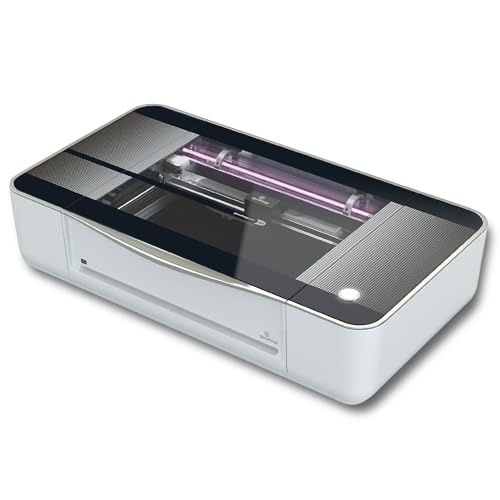
Glowforge AuraGlowforge AuraGlowforgeMaker names other softwareNot applicable$939.99Not publishedGlowforge names Glowforge web app and Glowforge Premium and does not name LightBurn.
xTool M2 10WxTool M2 10WxToolMaker names other softwareNot applicable$599Not publishedxTool names xTool Studio and does not name LightBurn.
LONGER Ray5 20WLONGER Ray5 20WLONGERMaker names other softwareNot applicable$369.98Not publishedLONGER names MKSLaser mobile app (Android and iOS) and does not name LightBurn.
Glowforge Pro HDGlowforge Pro HDGlowforgeMaker names other softwareNot applicableNot buyable todayNot publishedGlowforge names Glowforge app (browser) and Glowforge Premium and does not name LightBurn.

18 of the 30 machines here name LightBurn in their own maker's documentation. The other 12 do not, and that is a finding rather than a gap: a machine locked to its maker's own software has a capability ceiling set by a company with no competitor to answer to.

Two of them are withdrawals rather than silences: xTool answers the question in its own product FAQ, saying the F2 Ultra and F2 Ultra Single are no longer compatible with LightBurn, having previously been. A machine that never supported it and a machine that stopped are different purchases, and only one of them is a broken promise.

On two rows the tier is a floor rather than a finding. Those makers name LightBurn and never name the controller, and the controller is the only thing that decides the tier. Core is what those machines need if the board is GCode; a Ruida, Trocen or TopWisdom board makes it Pro. We report the floor and say so rather than picking the cheaper answer and printing it as a fact.

The rule underneath, in LightBurn’s own terms

LightBurn splits every laser into three controller classes and prices against that split. Find your class and the tier follows, whatever the machine cost.

xTool S1 40W

GCode controllers

Core

Pictured: xTool S1 40W

Usually a bare board on an open frame, driven over USB from a text command format.

Controllers LightBurn names

Cohesion3D, Smoothieware, Grbl, Marlin, Grbl-LPC

Open-frame diode engravers, kit lasers and hobby CNC. LightBurn names the Ortur, xTool D1, AtomStack, TwoTrees, NEJE Master, EleksMaker and FoxAlien, plus X-Carve, Shapeoko and 3018 routers.

LightBurn Software: Which version do I need?Read 2026-08-16

OMTech Pro 2440

DSP controllers

Pro

Pictured: OMTech Pro 2440

A sealed plastic case with its own LCD panel and buttons on the machine. If it is a CO2 laser in a metal cabinet with a display, LightBurn says it is probably this.

Controllers LightBurn names

Ruida, Trocen, TopWisdom

Light-industrial CO2 cabinets. LightBurn names Aeon, Thunder, Boss, AP Lazer and Laguna Tools among the makers using controllers it supports.

LightBurn Software: Which version do I need?Read 2026-08-16

ComMarker B6 60W

Galvo controllers

Pro

Pictured: ComMarker B6 60W

A fixed scanning head on an arm that projects the beam down, with no moving gantry. Connected by USB cable.

Controllers LightBurn names

EZCad2, EZCad2 Lite, EZCad3, BSL

Fiber markers for metal, CO2 galvo markers for wood, and UV markers. This is most of the metal-marking half of this catalogue.

LightBurn Software: Which version do I need?Read 2026-08-16

Pro is a superset. LightBurn states that the Pro license also covers everything the Core license covers, so nobody needs both.

What LightBurn will not drive

The useful half of a compatibility answer is the half that says no, and it is the half almost nobody publishes. Three of these are LightBurn's own words. One is a manufacturer admitting the support was taken away.

The xTool F2 Ultra, which used to work and no longer does

This is the only case in the catalogue of a maker withdrawing support from a machine it already sells. xTool answers the question in its own product FAQ: “No. To ensure the security of user data transmission, F2 Ultra/F2 Ultra(Single) is no longer compatible with Lightburn, as the previous access protocols were all open protocols.” Both F2 Ultra models commit a buyer to xTool Studio, which matters most to anyone whose files and other machines already live in LightBurn.

xTool: xTool F2 Ultra product FAQ: is LightBurn compatible with the F2 Ultra?Read 2026-08-16

The stock K40 controller

LightBurn states plainly that it does not support the M2 Nano board that ships in most K40 lasers. A K40 runs LightBurn only after its controller has been replaced, which is a hardware purchase on top of the license rather than a software choice.

LightBurn Software: Which version do I need?Read 2026-08-16

Darkly Labs Emblaser

It works, but LightBurn asks Emblaser owners to buy the license from Darkly Labs directly rather than from LightBurn.

LightBurn Software: LightBurn Core License KeyRead 2026-08-16

Galvo machines connected any way but USB

LightBurn qualifies its galvo support as controllers connected with a USB cable. A network-only galvo controller is outside what it states.

LightBurn Software: Which version do I need?Read 2026-08-16

Everything else LightBurn charges for

The figures that never appear in a comparison, read from LightBurn’s own store in US dollars.

LightBurn published prices beyond the two licenses
WhatPublished priceNotes
Upgrade an existing Core key to Pro$100The difference between the two tiers. Adds the device type to the key you already hold.
A fourth computer on a Core key$25Sold as an additional seat. Three are included.
A fourth computer on a Pro key$50Sold as an additional seat. Three are included.
LightBurn Camera$80Optional hardware for aligning artwork to material already on the bed.
LightBurn Camera, 8MP 4K-W$110The higher resolution camera in the same range.

The two license prices are deliberately not repeated here. They live with the totals they feed, on the running-costs page, because a figure stated in two places goes stale in one of them.

Questions this page gets asked

Every answer below is LightBurn’s own statement, with the page it was read from.

Is LightBurn a subscription?
No. LightBurn states that both Core and Pro licenses are perpetual and come with a year of free updates starting the day you first activate. After that year you can carry on using the version you have, forever. Only new versions stop arriving.
What happens after the first year of updates?
Nothing, unless you want new features. A year of further updates is sold separately at the same price whether you hold Core or Pro, and LightBurn adds two extra months if you renew before your current term expires.
How many computers can one license run on?
Three. LightBurn states that licenses come with three seats by default, on PC or Mac, and that activations are managed through its own license portal. More seats are sold individually.
Is there a free trial?
Yes, and it is the full program. LightBurn offers a 30 day trial with no restrictions, no watermarks and no limits, and states that all three controller classes are supported by the trial. That means you can confirm your own machine connects before you pay for anything.
Which operating systems does it run on?
Windows 64 bit, macOS and Linux. LightBurn also still publishes a 32 bit Windows build, and ships Linux as an AppImage, a .run installer or a .7z archive.
Can a Core license be moved up to Pro later?
Yes. LightBurn sells the upgrade for the difference in price, and states that it adds the new device type to your existing key rather than renewing it. The update term does not restart.
How this page decides which tier a machine needsWhat is the maker's statement, and what is ours

LightBurn publishes the rule and each manufacturer publishes its machine. This page is the join, and it is worked in one order every time. Where a maker writes the tier out, that wins. Where a maker names the control software it ships, the controller family follows from it: RDWorks is Ruida’s own program, EZCAD and BslAppSimple are galvo controllers, and LightBurn puts all of them in Pro. Where neither is published, the machine’s own sourced laser source decides, because a galvo marker is a galvo marker whatever its maker calls the software.

Where none of that resolves it, the page says so. A CO2 machine whose maker names LightBurn and never names the controller could be either tier, and printing the cheaper one would be a hundred dollar error delivered with the confidence of a sourced figure.

We have never run these machines and do not claim to. The authority here is the documentation layer: what LightBurn published, what each manufacturer published, and the date each was read.

Where these figures came from

LightBurn Software: Which version do I need?Read 2026-08-16

LightBurn Software: Which version of LightBurn is right for you?Read 2026-08-16

LightBurn Software: LightBurn LicensesRead 2026-08-16

LightBurn Software: Download / Free TrialRead 2026-08-16

LightBurn Software: Hardware Compatibility MatrixRead 2026-08-16

LightBurn Software: LightBurn Core License KeyRead 2026-08-16

xTool: xTool F2 Ultra product FAQ: is LightBurn compatible with the F2 Ultra?Read 2026-08-16